
Call the people you care about most, in one swipe.
No more scrolling through your entire contact list to find the one person you call every day. Dropdown Dialer puts your favorite contacts one swipe away, on any Android phone.

Every time you need to reach your spouse, your kid, your business partner, or your mom, you open the dialer, tap into contacts, and scroll. Dropdown Dialer skips all of that. Set your favorites once, and every call after that is a single swipe.
How it Works
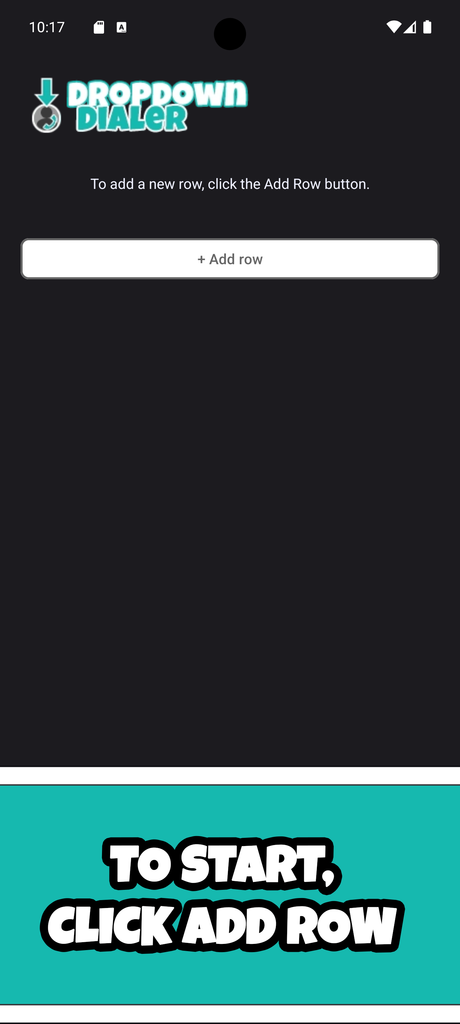
Step 1
Open Dropdown Dialer and choose “Add Row”
Step 2
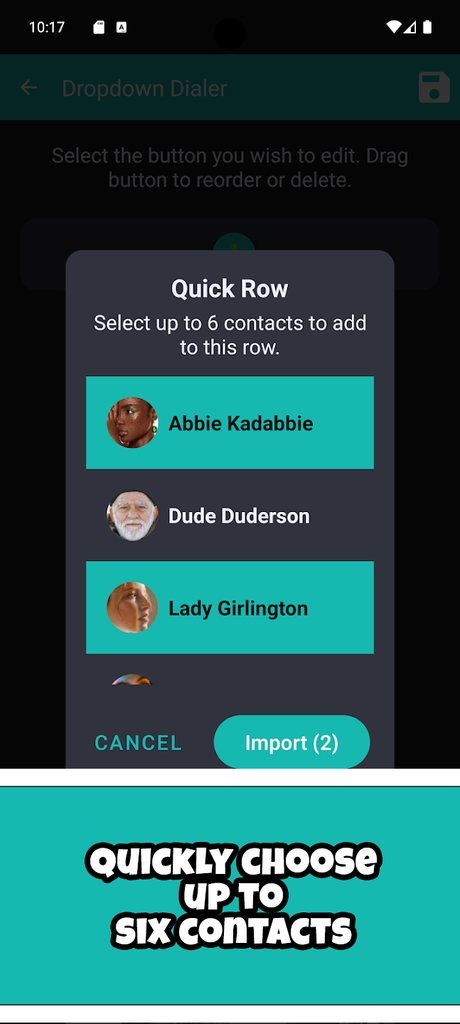
Add buttons one at a time OR use Quick Add to select up to 6 contacts for your row.
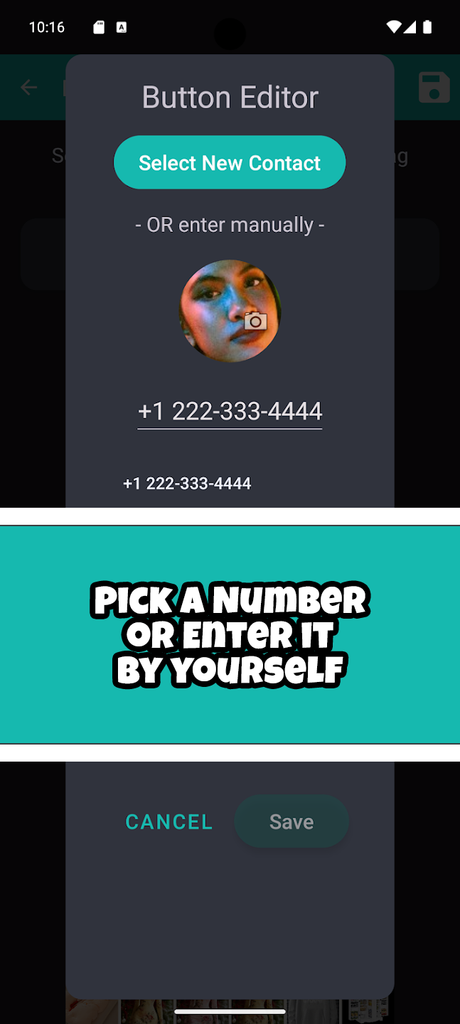
Step 3 (Optional)
Edit the button’s image and number, and if you upgrade to premium, choose between call/text/video.
Step 4
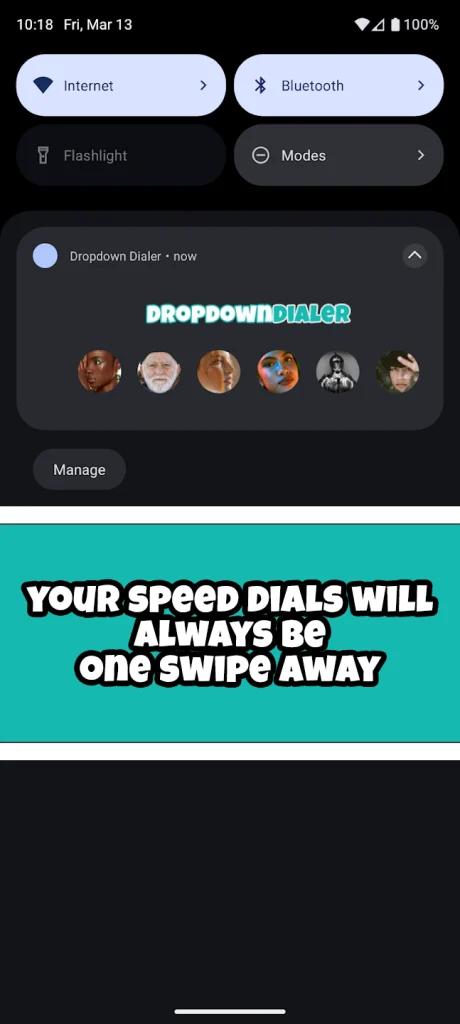
Save the row. Now, whenever you swipe down for your notifications, your speed dials will be right there at all times!
Why people like it
Built for speed. One swipe, one call. No searching, no scrolling, no wrong number tapped by mistake.
Built for anyone. Busy people who call the same few contacts all day. Parents and grandparents who want calling to be simple. Anyone setting up a phone for a family member.
Yours to set up. Choose exactly who goes in your dropdown, and change it any time.
FAQ
Is it free? Yes. Dropdown Dialer is free to use, with ads. If you purchase premium (only $1.99/lifetime), the ads go away, you can add a second row, and you can choose between calling, texting, or video calling your contacts.
Does it work with my regular contacts? Yes, it pulls from your phone’s existing contact list. You don’t need to re-enter anyone. However, you can also manually create a button if you need to.
Can I change my shortcuts later? Yes, add, remove, or reorder them any time.
Is this a replacement for calling 911? No. Dropdown Dialer is a convenience tool for the contacts you choose. Always use your phone’s regular dialer for emergencies.